
Menus & recipes
Costing and margin
Build, cost and version recipes in one place, and see what a dish earns before it reaches the menu.
Kitchen operating system
Recipes, tasks, rosters and training in one system. Built once by you, and on the phone in your chef’s pocket by service.
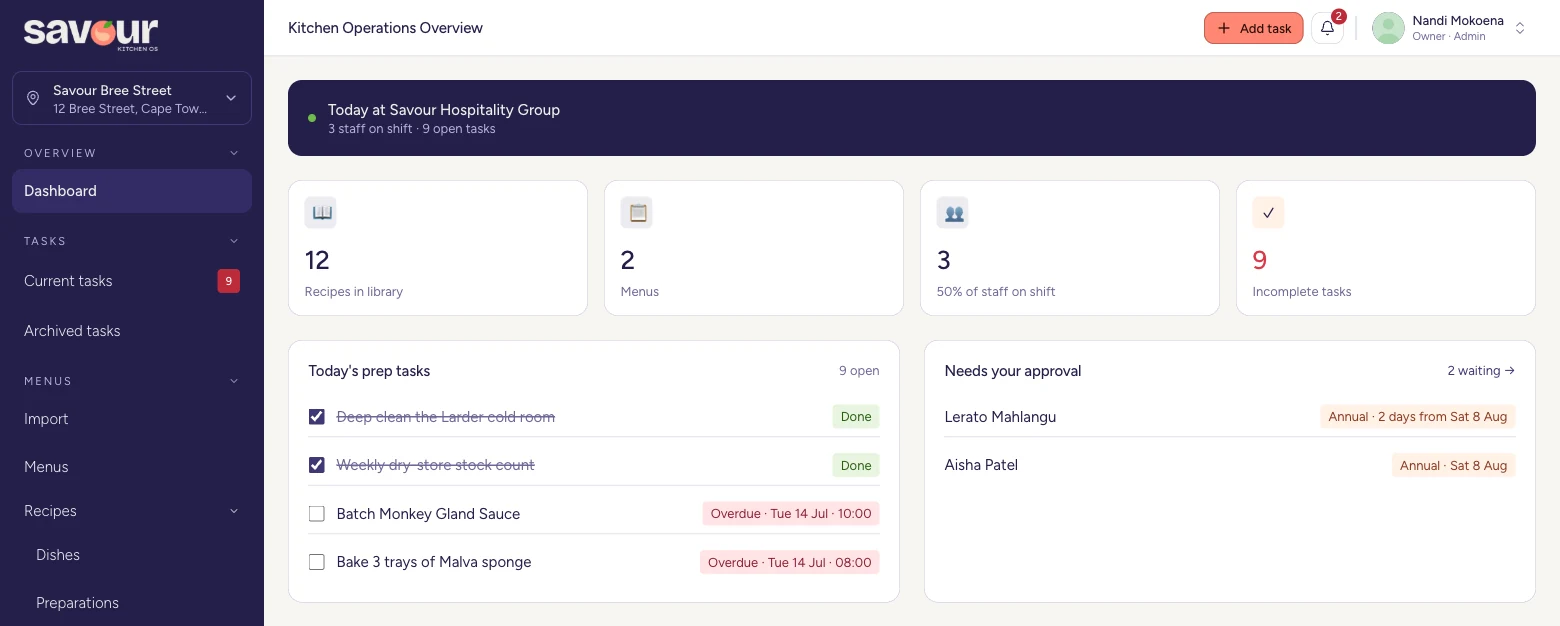
The owner’s dashboard — today’s prep, across every site.
Built for
Why we built it
Training doesn't stick when every month brings new faces and each new hire starts from zero. Keep what the kitchen knows in the business, not in the person who just left.
A thick folder works for fluent readers. For staff who speak English as a second language, guidance has to be short, plain and visual before it gets followed at all.
Nearly everyone carries a phone and uses WhatsApp every day. Not everyone has space to spare. Savour runs in the browser — nothing to install, and it hardly uses data.
What’s inside
You build it once. Your team gets it on the device already in their pocket.
Menus & recipes
Build, cost and version recipes in one place, and see what a dish earns before it reaches the menu.
Tasks
Assign a job and it opens straight on the phone it is meant for, with a WhatsApp message so it gets seen.
Rosters
Build a week quickly and fairly, publish it once, and let every swap show up on staff phones straight away.
Training
Short, visual lessons in plain English that a new hire can finish on shift, and a manager can track to the end.
On the pass
Every step one tap away, with photos. No binder, no flip-file, no guessing at the batch size.
Across the group
What is done, what is missed and what is late — for one kitchen or for every venue you run.
In use
Three real screens from a running kitchen. No mock-ups.
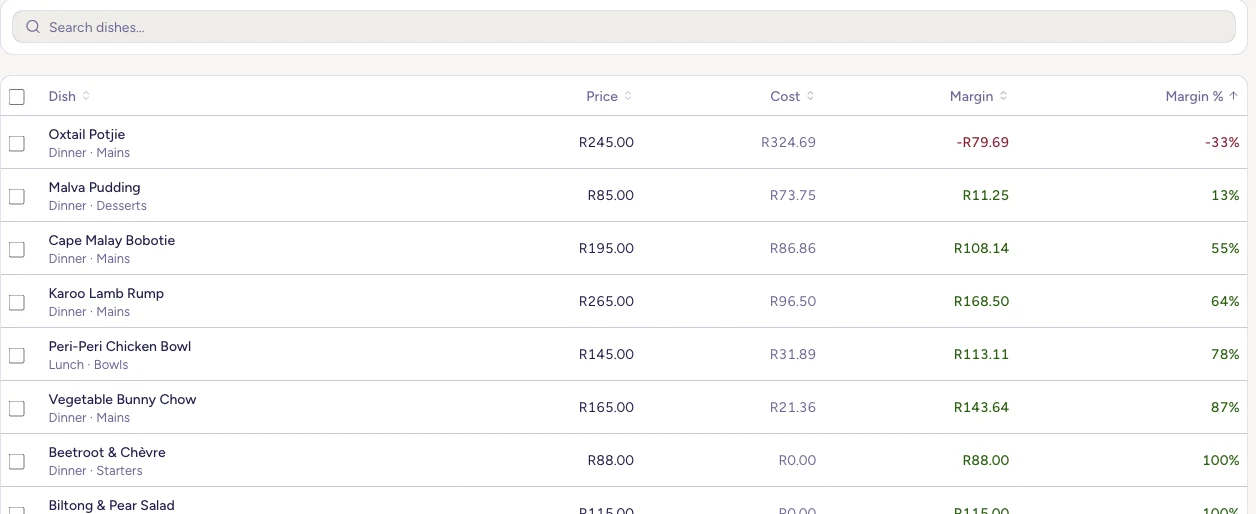
Menus & recipes
The dishes losing you money sit at the top of the list, not buried in it.
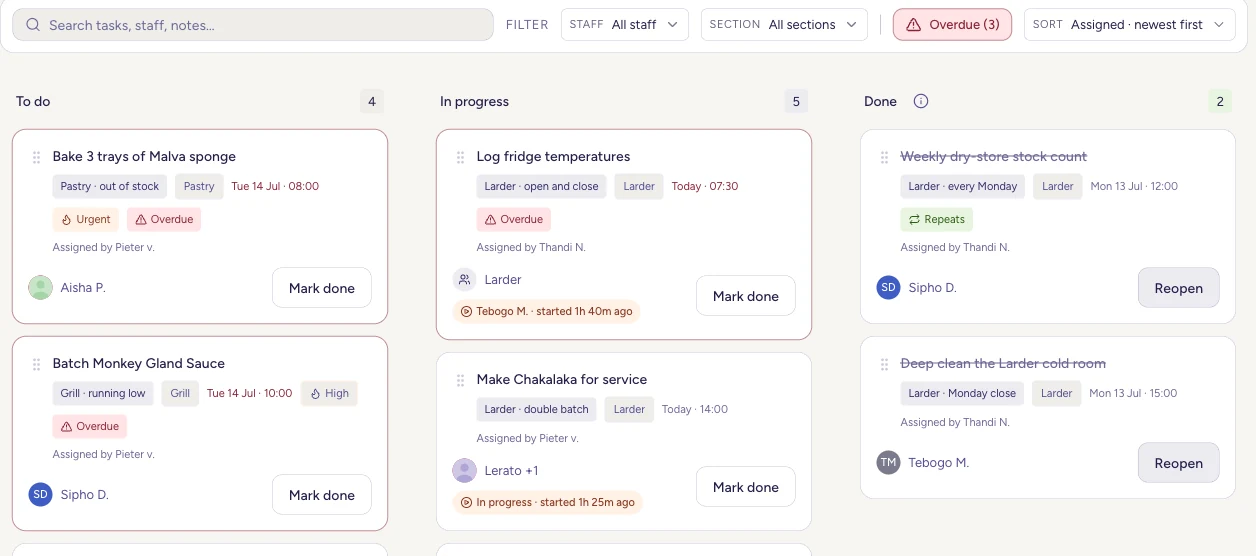
Tasks
Section, due time and owner on every card. Anything late flags itself.
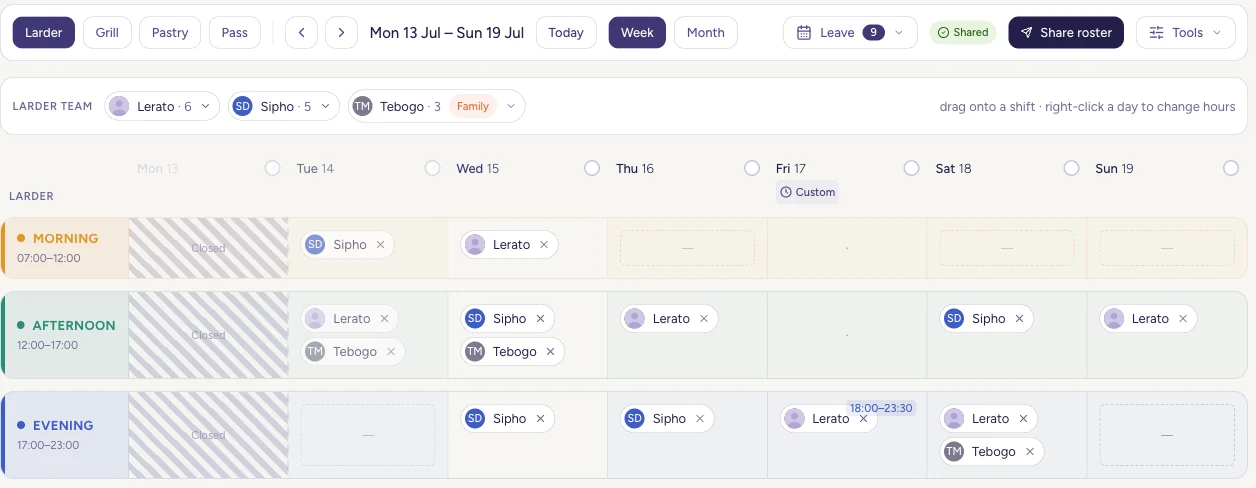
Rosters
Drop people into shifts, publish, and it reaches their phones.
How it works
Drop in your recipe bibles, prep lists, supplier directory and staff list. Savour reads them and sorts them for you.
Tasks, shifts and training go out to the people who need them and land on their phones or the kitchen tablet.
Visual guides and a clean screen mean the daily work gets done the same way, however often the team changes.
Food cost, labour, training and consistency at a glance — one kitchen or the whole group.
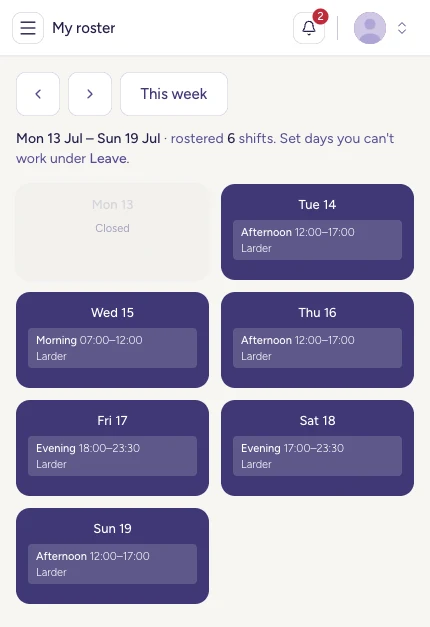
For your team
The staff view shows the shifts, tasks and training that belong to one person, and the recipes they need, with photos. It runs in the browser, so there is nothing to install and nothing taking up space.
Pricing
Every kitchen is different, but the shape of the deal shouldn’t be a mystery. Here is where it starts.
One venue, one team.
From R1,999 / month
Build centrally, roll out per site.
From R3,999 / site / month
Many owners, one standard.
Custom annual agreement
FAQ
One system for the things a kitchen runs on: recipes and costing, prep, stocktakes, rosters, training and stock. Owners and managers work on it in a browser. Staff reach it on their own phones and through WhatsApp — there is no app to install and it uses very little data.
Yes. Build menus, training and rosters once, centrally. Roll them out per site, across locations or franchisees, and see the whole group in one view.
Guidance is visual and in plain English, so a new person can follow a recipe correctly on their first shift instead of shadowing someone for two weeks. And what the kitchen knows stays in the business when they leave.
Drag and drop your recipe bibles, prep lists, supplier directory and staff list. Then a real person on our team helps you set up and walks your managers through it.
Get started
Tell us about your operation and we will set up a walkthrough built around your sites. A person replies within one working day.